Software Design
Firmware architecture and the modules that make the mouse run.
The mouse firmware runs on an ESP32-S3 and is organized into four functional modules — analog sensing, motion control, maze representation and search, and the top-level program loop. Each module is split into a header file (which exposes its public API) and a corresponding implementation file. The sections below describe what each file is responsible for.
Analog Sensing
Analog_Sensors.h
Public interface for the IR-based wall-distance sensors. Declares pin assignments, the calibration constants used to convert raw ADC counts into millimeter distances, and the function prototypes that the rest of the firmware calls — for example to initialize the ADC, read an individual sensor, or check whether a wall is present in a given direction.
Analog_Sensors.cpp
Implementation of the sensor module. Configures the ESP32-S3 ADC channels, handles per-sensor calibration (mapping raw ADC values to physical distance using the curves measured during bench testing), and provides the filtered read routines used by the motion and maze modules. This module also implements the wall-presence threshold logic that the maze search depends on.
Sensor Calibration
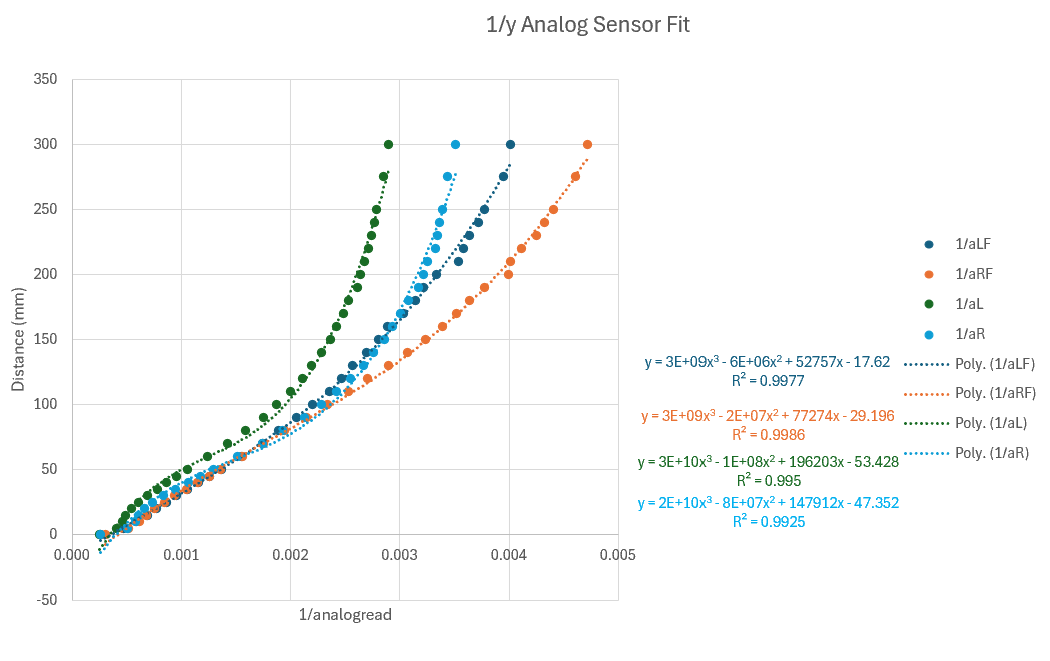
Each IR sensor was calibrated individually by sweeping the distance to a
reference wall and recording the ADC response. The resulting curves are used
in Analog_Sensors.cpp to convert raw readings into reliable
distance estimates.
Motion Control
motion.h
Public interface for the drivetrain. Exposes the motion primitives that
the higher-level code uses to navigate the maze: motor setup, set-speed
calls for the left and right wheels, encoder-based drive_straight,
and discrete turn_left / turn_right / turn_around
maneuvers.
motion.cpp
Low-level motor and encoder control. Configures the PWM channels driving the H-bridge, reads the quadrature encoders, and runs the closed-loop control that keeps the mouse moving straight, squared up against walls, and centered in a cell. Also implements the wall-following corrections that use the side IR sensors to keep the mouse on track between cells.
Maze Representation & Search
maze.h
Public interface for the maze data structure and search algorithms.
Defines the cell representation (wall flags, visited flag), the
coordinate system, and the prototypes for maze_init,
maze_search (full exploration), maze_return_to_start
(BFS path back to origin), maze_solve (optimized speed run),
and maze_print_serial for debugging.
maze.cpp
Implementation of the maze-solving logic. Maintains a 16×16 grid of cell records, updates wall information from sensor reads at every cell, and runs the search algorithm to explore the maze and reach the center. Once exploration is complete, a breadth-first search computes the shortest path back to the start, and the recorded map is used to plan an optimized speed run on the second trip.
Successful Maze Mapping
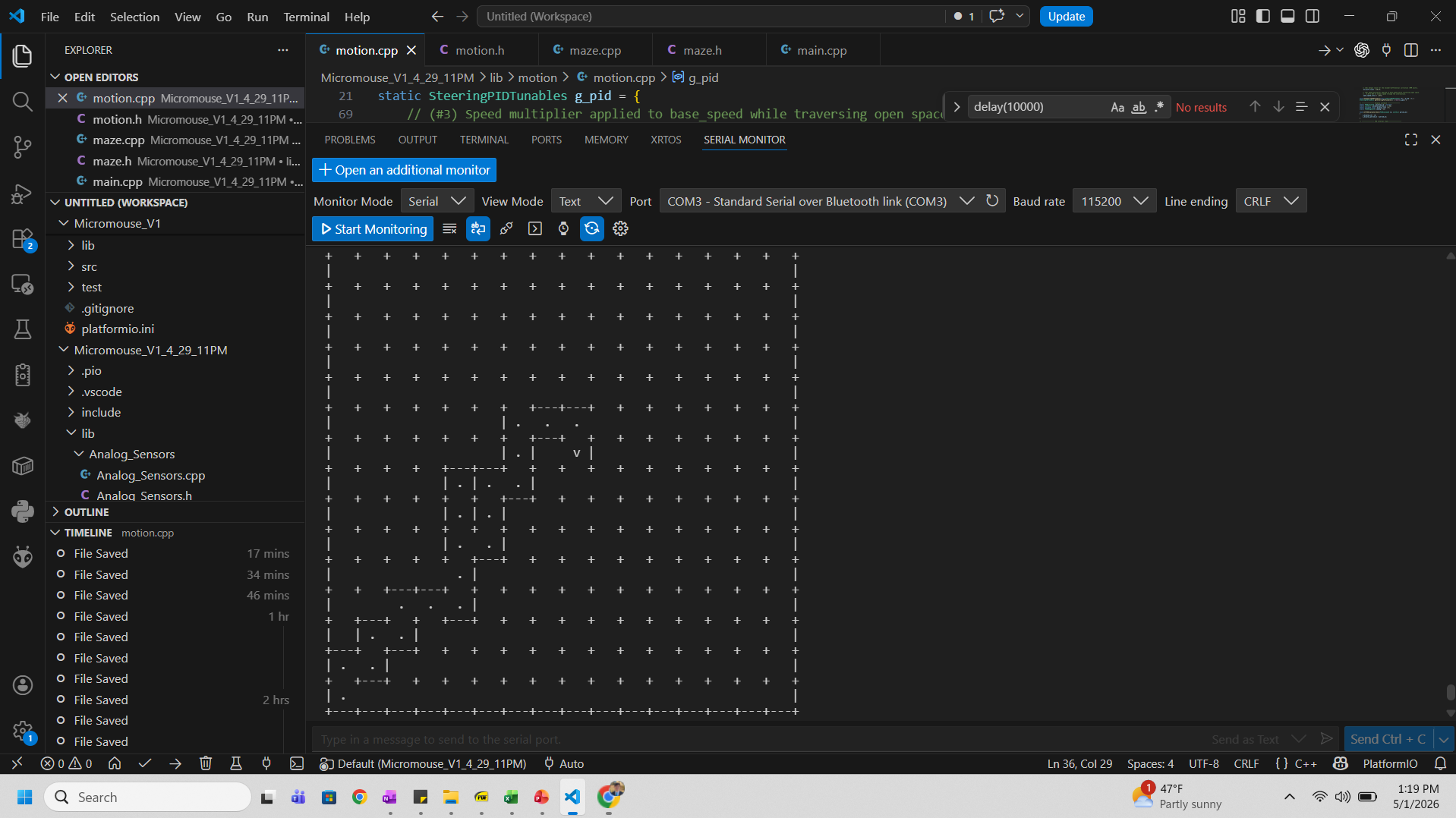
After a full exploration run, the firmware prints the discovered map over serial. The screenshot below shows a successful mapping of a test maze, with wall positions correctly identified and the path back to start computed.
Top-Level Program
main.cpp
The top-level Arduino sketch. In setup(), it initializes the
serial console, motors, and analog sensors, then runs the full sequence:
wait for placement, run a complete maze exploration via
maze_search(), print the resulting map, and return to the
origin via maze_return_to_start(). From there the mouse is
ready to execute an optimized speed run on command.